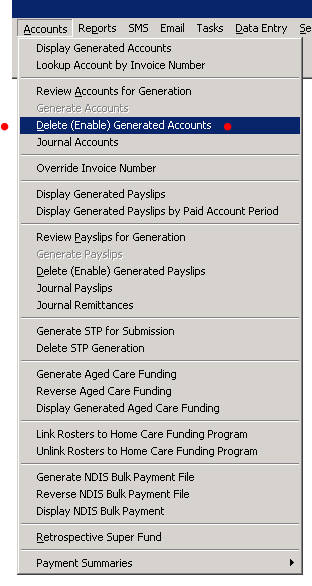
If you need to make corrections or changes to a generated invoice use the Delete (Enable) Generated Account to reverses an invoice.
If deleting an account, there are implications if the invoice has been posted or if the accounting journals have been imported into your accounting package.
Deleting Hospital Invoices
You can delete invoices for all hospitals or for a specific hospital.
To delete an invoice -
- Accounts > Delete (Enable) Generated Accounts
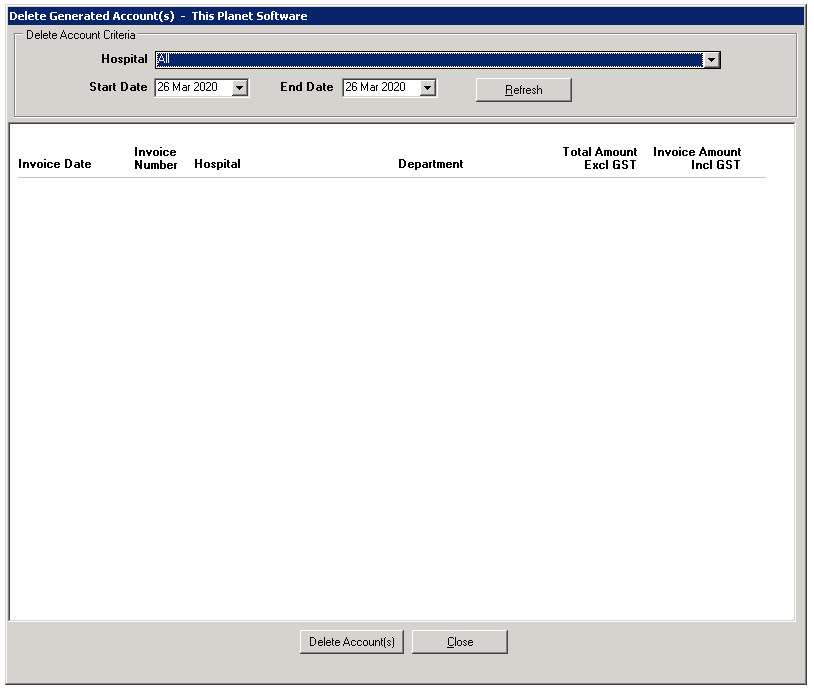
- Hospital – Select all Hospitals or a specific Hospital.
- Start and End Dates – Select the date range
- Refresh – Update the information displayed.
- Tick the accounts to be deleted
- Select – Delete Accounts
- The Enable Generated Accounts warning message will appear.
- Confirmation of invoices successfully enabled.
You can make the required changes before regenerating the account. If you need to create a correcting roster entry, ensure the account period on the roster entry is the same as the account period enabled.