Hospital > Hospital > Preferences
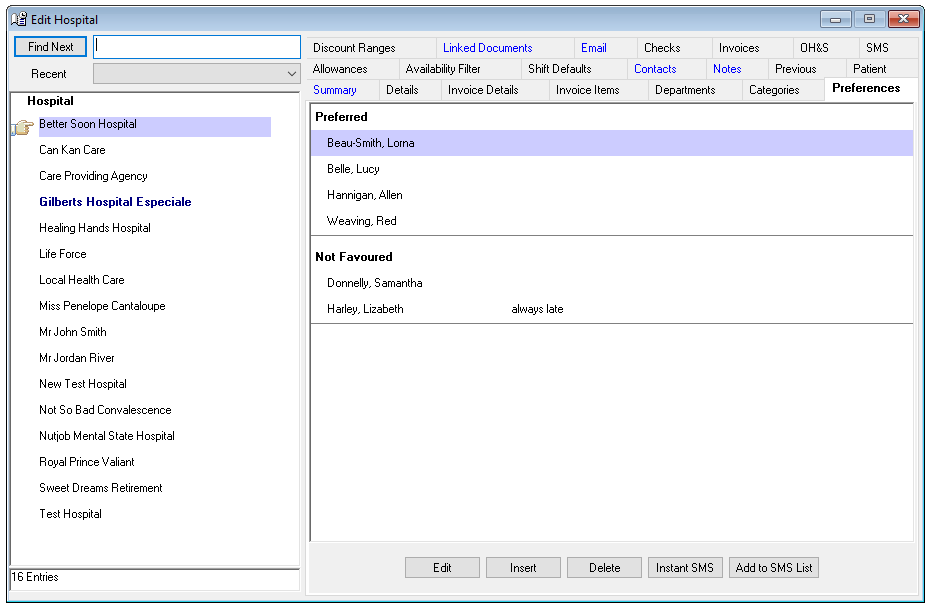
The Hospital Preferences tab records the Nurses favoured and not favoured by the Hospital. A Hospital’s preferences are used in the Single and Multiple-Shift Rating process.
If a Nurse is preferred by the Hospital that Nurse will be ranked as higher match for the shift for the Hospital.
If a Nurse is Not Favoured by the Hospital that Nurse will not appear as a possible candidate for any shifts with that Hospital. The Nurse will be removed from the selection process.
If a Hospital has a Nurse as Not Favoured, the Nurse will be removed from the rating process even if the Nurse has a preference for the Hospital. The Hospital Not Favoured status will over-ride the Nurse preferred status.
Adding a Preference
To add a Hospital Preference for a Nurse-
- Select Insert on the Preference tab.
- Nurse – Select from the drop-down menu.
- Preferred Nurse – Tick if preferred. Remove tick if not preferred. This will actually put the nurse into the Not Favoured list.
- Comments – Free text area.
- OK – To save and exit.
- Cancel – To exit without saving.
Venus will automatically sort Hospital nurse preferences into “Preferred” and “Not Favoured” on the tab.
Editing a Preference
To edit a Hospital Preference for a Nurse -
- Highlight the Preference to be edited.
- Select the Edit button on the Preference tab.
- Updated the information, as required.
- OK – To save and exit.
- Cancel – To exit without saving.
Deleting a Preference
To delete a Hospital Preference for a Nurse -
- Highlight the Preference to be deleted.
- Select delete.