The resource below shows how to create invoice line items to be added to the next invoice, or to be generated on thier own as a stand alone charge or credit note:
Hospital > Hospital > Invoice Items
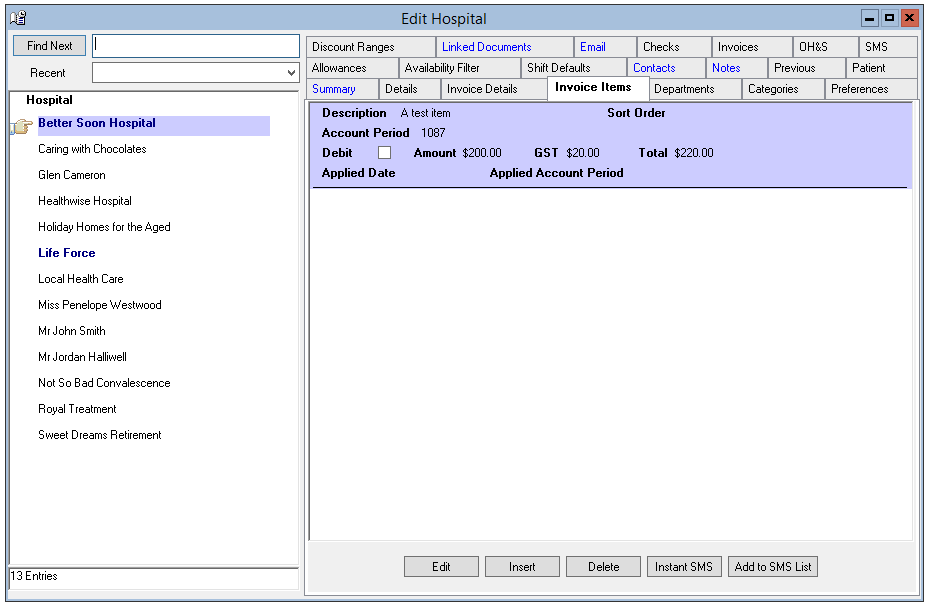
Add items, not relating to a specific roster on the Client Invoice items tab.
Select insert and complete the information as required.
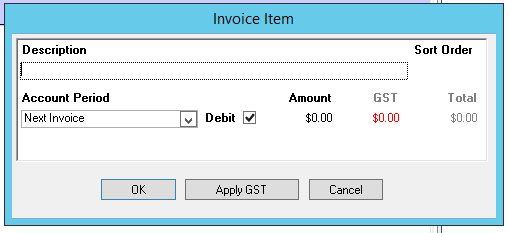
- Description: If creating a credit note, this will need to be highly detailed, to ensure the client knows exactly what item is being credited, including (if relevant) Hours, Dates, Staff names, Shift Types, Department etc.
- Sort Order: If more than one Invoice Item is to be attached to an invoice, use the sort order to ensure they are presented in the right order on the invoice.
- Account Period
- Debit or Credit: Leave "Debit unticked to create a credit note."
- Amount
- GST as required
Invoice Items are grouped at the bottom of an invoice.
Where a separate invoice is produced for each department, Invoice Items will be on a separate invoice that only displays invoice items.
The Invoice will generate to your defined preference upon next invoice generation under standard invoicing procedure.