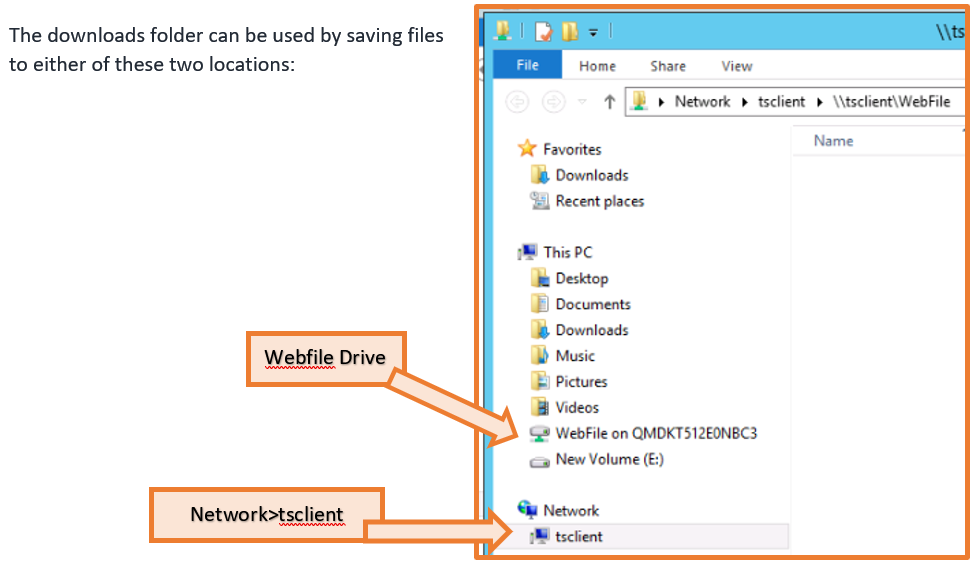
What if I use Mars to store my Documents:
Please Note: If you utilise the Mars server as a virtual machine and store your documents in a folder structure on Mars, that will be preserved by either method. HTML5 will provide a view you are already familiar with, but RemoteApp will launch a window that provides access to your partition of the server for file management. The screen that will present is as shown in the next FAQ question.
We advise all clients to migrate their documentation to their local environment to take advantage of your own environment, maintained to your own requirements.
What is This?
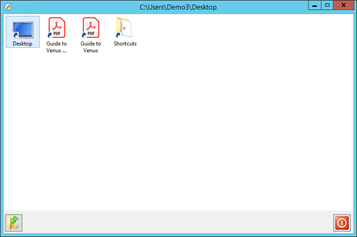
When launching via RemoteApp, as a default, you will see this view. This is a TSPlus Desktop View, this is how you can navigate the folders and files that you have access to on Mars (our servers, not your local environment). If you do not use Mars to store your documents, you are able to by-pass this screen and launch the application directly, as if it were installed on your own machine. We can configure that for you, please contact us directly to enable that function.
I cannot see my local drives
Ensure you are logged in via RemoteApp
How do I view the HTML5 option in full screen?
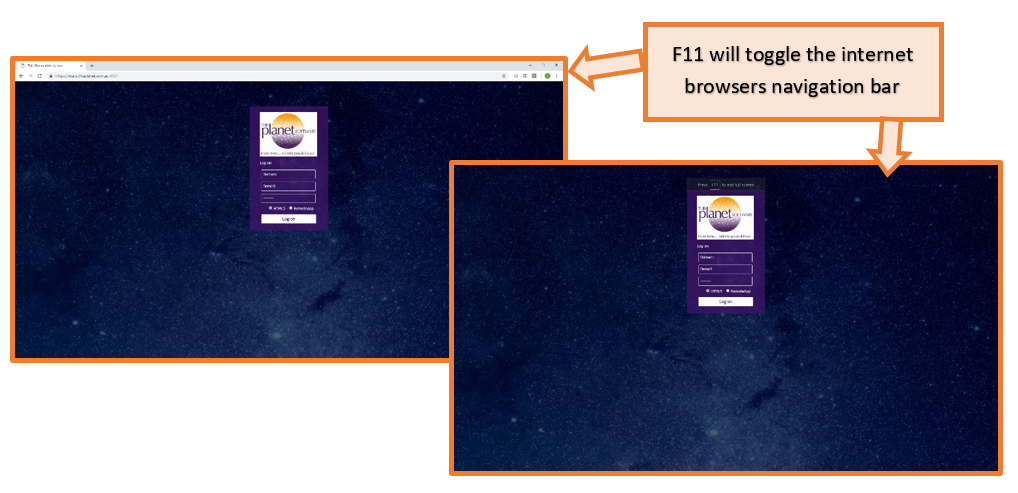
At the login screen press “F11”, Press “F11” again to return to a normal view. Once already logged in, F11 will not remove the navigation bar, so press F11 before logging in:
Why is the remote access method I have been using being decommissioned?
The traditional RDP access utilises an old standard to gain access to the server environment, and as such has become increasingly redundant. RDP is a more insecure access point than the web site access that we are moving to. Automated attempts at logging in are more difficult via the website access, while the normal RDP access, the automation of login attempts is much easier to execute. So for forced entry type attacks, the RDP method is much more vulnerable.
In addition to the increased security, the added ubiquity of your work environment should enable you to use different machines, or update your workstations without any need to reconfigure an RDP connection. RemoteApp works with your local environment in a vastly improved manner, utilising other applications and drives as if it were natively installed on your own machine. HTML5 on the other hand allows you to access your application from any platform, be that a tablet, another PC, or even an apple based environment. HTML5 still allows the downloading of files created to your downloads folder, or if you utilise the servers folder structures, to your folders stored on the Mars environment.
The web access is much more lightweight and as a result gives a more reliable and responsive connection.
Finally, having this one launch point ensures that every staff member uses the correct application, with no configuration or distribution of files required.
How do I download a file in HTML5