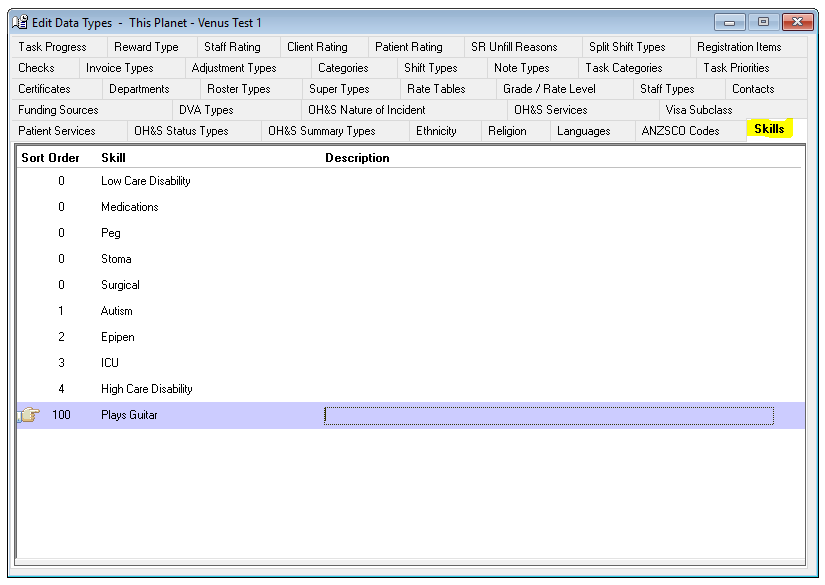
Data Entry > Types > Skills
The Skills tab record the skills and competencies achieved by your Nurses as required by Hospitals and Patients. Skills are used to find the best available Nurse for each shift and Patient visit.
Configuring Skill:
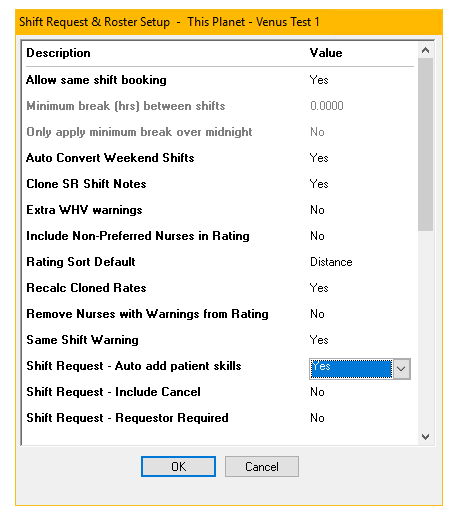
A Patient’s skill requirements for a shift can be automatically added to all shift requests using the global setting under Data Entry > Shift & Roster Setup > Shift Requests – auto add Patient skills.
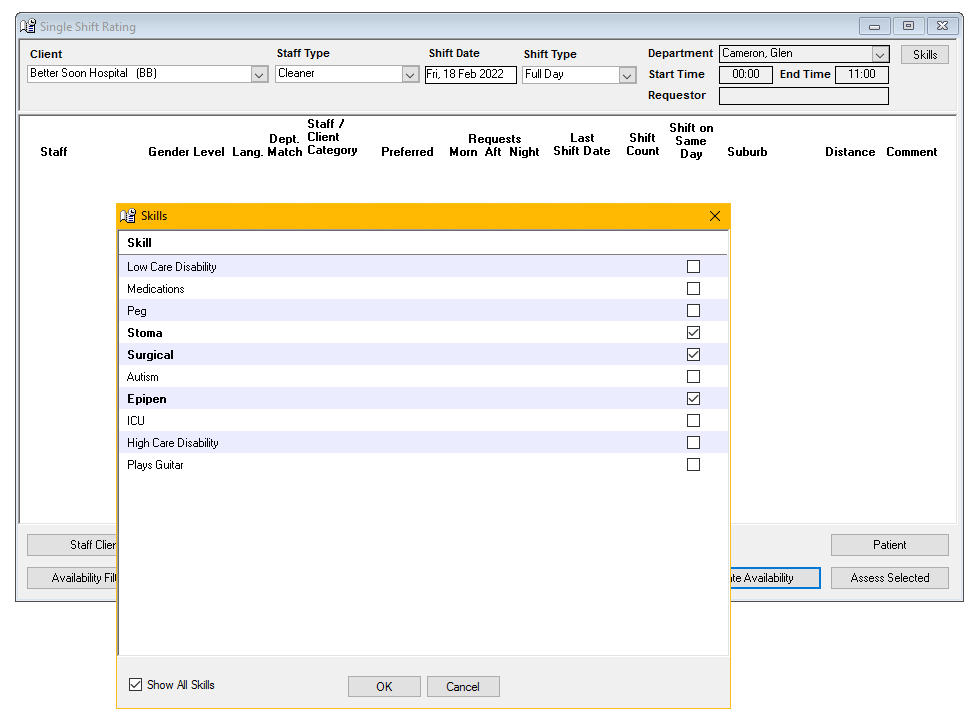
Alternatively, if the above setting is not selected you can add skills to each shift request as they are recorded. The skills screen will display the skills selected for a Patient, select the skills required for this visit. Alternatively, select “Show All Skills” to select one-off requirements.
Adding a Skill
To add a Skill -
- Select Insert on the toolbar.
- Sort Order – The order the Skill will appear in the drop-down menus.
- Skill – The name of Skill.
- Description – If required.
- The information is saved when you leave the tab.
Editing a Skill
To edit a Skill -
- Highlight the Skill to be edited.
- Overtype as required.
- The information is saved when you leave the tab.
Deleting a Skill
You cannot delete a Skill.
How Skills Impact Rating:
You can set a filter by skills required upon creation of a roster by clicking the "Skills" Button, this will filter results to the appropriate skills only.
Assigning a Skill to a Nurse/Staff member:
Nurse > Nurse > Skills
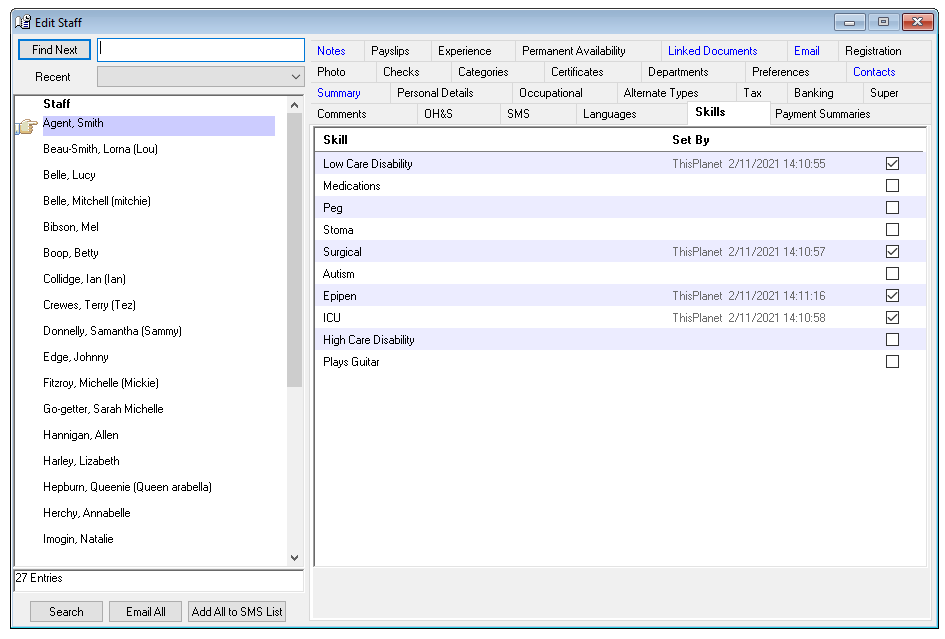
A Nurse’s skills are recorded on this tab. Skills provide multiple level searching for and matching a Nurse to a Hospital shift and Patient visit requirements. Skills are recorded under Data Entry > Types and are displayed on the Nurse Skills tab.
Tick the Nurse’s Skills.
The name and date of the person who last updated a skill is displayed next to the skill.
Assigning a Skill requirement to a patient:
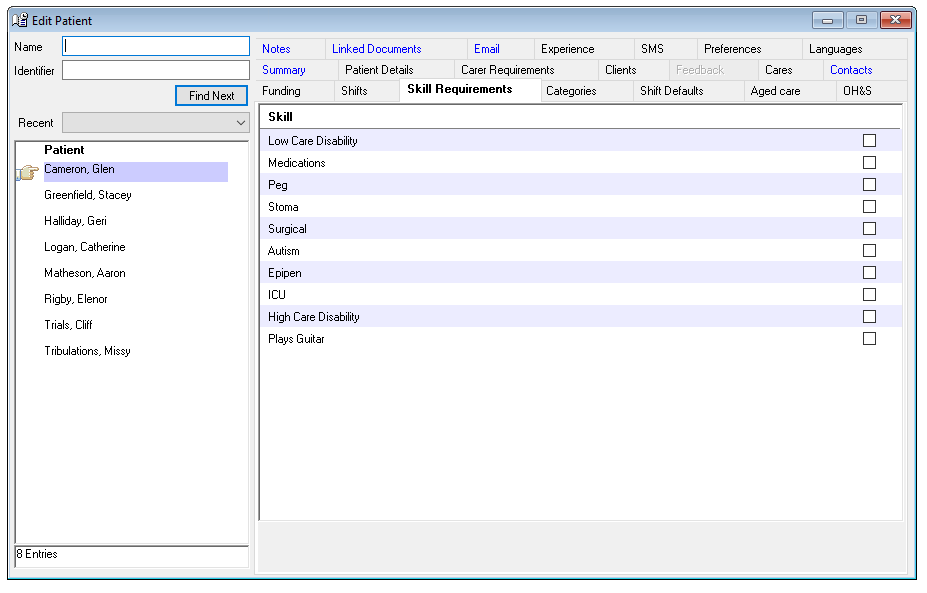
Patient > Skill Requirements
Different Patients have different needs and skill requirements of their Nurses/Carers.
Record a Patient’s skill requirements on this tab. Skills provide a new level of searching for and matching Nurses/ Carers to a Patient’s visit requirements.
Tick the Patient’s skill requirements.
New Skills are added on the Data Entry > Types > Skills tab.
Important Information:
A Patient’s skill requirements can be modified for each shift/visit at the time of creating a shift request.