Data Entry > Types > Super Types
The Super Types tab records the Superannuation Funds chosen by your Nurses
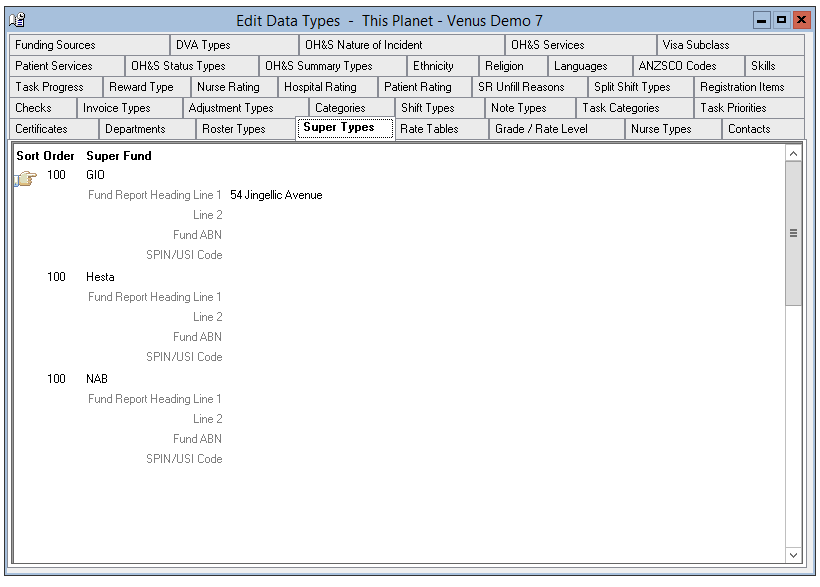
Adding a Super Fund
To add a Super Fund –
- Select Insert on the toolbar.
- Sort Order – The order the Super Funds will appear in the drop-down menus.
- First Blank Line = Super Fund Name – The name of the Superannuation Fund.
- Fund Report Heading Line1 & 2 – The postal address, or other required assignation for the fund that is printed on the Super Funds report.
- Fund ABN – The ABN of the Super Fund
- SPIN/USI – This is the Super Fund Product Identification Number
- The information is saved when you leave the tab.
Editing a Super Fund
To edit a Super Fund -
- Highlight the Super Fund to be edited.
- Overtype as required.
- The information is saved when you leave the tab.
Deleting a Super Fund
You cannot delete a Super Fund.