Patient > Shifts
This screen shows the shifts that have been created to fill the services (cares) that a patient requires.
Patient Shifts Create
Patient > Shifts > Create
Selecting the Create button allows you to create multiple shifts or rosters in one step.
Patient Shifts Modify
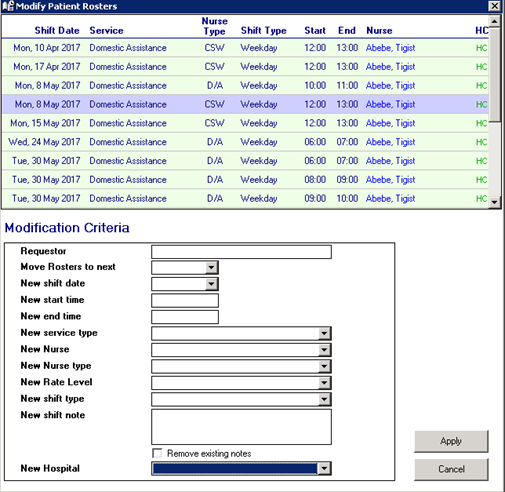
Patient > Shifts > Modify
You can now modify a large number of shifts to be updated at the same time, changing Requester and Nurse level.
The Hospital/ Provider associated with a shift may be modified if the roster has not been completed and/or time sheet confirmed.
Important Information:
Venus does not check the Nurse Level against the Nurse Type selected. Make sure you have selected an appropriate Level for the relevant Type.